To delete a CPF record:
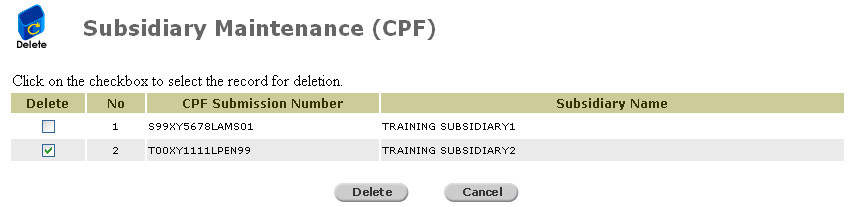
Click Company Profile >> Subsidiary >> CPF >> Delete. The Delete Subsidiary page will be displayed.
Delete Subsidiary Page
Mark the checkbox of the record to be deleted.
Click  . A confirmation message will be displayed.
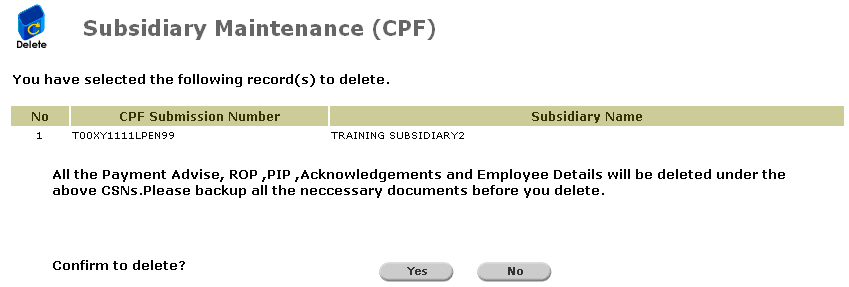
Confirm Deletion Message
Click  to delete. An acknowledgement message will be displayed.

Acknowledgement Message
Click  to go back to the previous screen.